

Mopar Brake Rotors




No results found for "brake rotor". Here are some helpful search tips:
- Search by a part name. Example: water pump.
- Be less specific. Example: brake instead of ceramic brake.
- Remove information such as make, year or model.
- Can't find the part you are looking for? Contact us and we'll find it for you!
Genuine OEM Mopar Brake Rotors
The short answer: genuine OEM Mopar brake rotors are the factory-engineered discs your Chrysler, Dodge, Jeep, or Ram was designed and tested with, so they match the original diameter, thickness, cooling vane design, and metallurgy your calipers and pads expect. Shop by VIN at Mopar Superstore for confirmed fitment, warranty backing, and nationwide shipping. If your brakes pulse, grind, or squeal, or a technician has measured your rotors below specification, replacing them with genuine Mopar parts is the most direct way to restore factory stopping performance.
Below, we explain how rotors work, how to spot worn ones, how to pick the correct part, and how to replace them safely yourself.
How a Brake Rotor Works
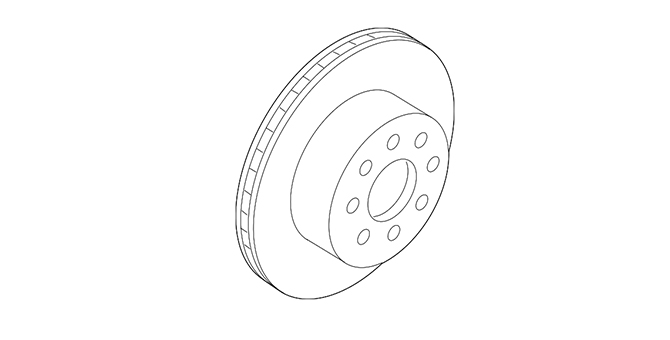
A brake rotor (also called a brake disc) is a precision-machined iron disc that bolts to the wheel hub and spins with the wheel. When you press the brake pedal, hydraulic pressure pushes the caliper pistons, which clamp the brake pads against both faces of the rotor. Friction between the pad material and the rotor surface slows the wheel, and the energy of your moving vehicle is converted into heat that the rotor must absorb and then shed into the surrounding air.
That heat management job is why rotor design matters so much. A thin or poorly made rotor can overheat and cause fade: a pedal that goes soft after repeated hard stops.
Vented vs. Solid Rotors
Most front rotors on Mopar vehicles are vented: two friction faces separated by internal cooling vanes that pump air through the center of the disc as it spins. Vented rotors handle heat far better, which is why they appear on the front axle, where most braking force is applied. Some rear rotors, particularly on lighter cars and crossovers, are solid single-piece discs because the rear brakes do less work. Heavier trucks, performance models, and vehicles with higher towing ratings often use vented rotors at both ends.
Why Rotor Thickness Matters
Every rotor has a minimum thickness specification, often cast or stamped on the rotor itself. As the pads wear, they also wear the rotor faces a small amount. A rotor below minimum thickness has less mass to absorb heat, is more likely to crack or distort, and can allow the caliper piston to extend farther than designed. Your owner’s manual or service information is the right reference for the specification on your vehicle; a technician can measure it with a micrometer in a few minutes.
Warning Signs Your Rotors Need Attention
Rotors usually give plenty of warning before they become a real problem. Pay attention to these symptoms and have the brakes inspected promptly when you notice them:
| Symptom | What It Often Means | Recommended Action |
|---|---|---|
| Pulsing or vibrating brake pedal | Uneven rotor thickness (often called warping) or pad material deposited unevenly on the rotor face | Measure thickness variation and runout; replace rotors if out of spec |
| Steering wheel shake when braking at speed | Front rotor thickness variation or hub runout | Inspect front rotors and hub mounting surfaces |
| Grinding or metal-on-metal noise | Pads worn to the backing plate, scoring the rotor | Stop driving as soon as practical; replace pads and rotors |
| Deep grooves or a raised lip at the outer edge | Normal wear accumulating, or debris trapped between pad and rotor | Measure thickness; replace if below minimum |
| Blue or dark heat spots on the rotor face | Overheating from heavy use, a dragging caliper, or towing | Inspect calipers and slides; replace affected rotors |
| Visible cracks | Heat stress or fatigue | Replace immediately; do not drive on a cracked rotor |
| Heavy rust on the friction surface after sitting | Surface corrosion that usually cleans up with braking; deep pitting may not | Drive gently to clean; replace if pitting remains |
What You’ll Find in Our Brake Rotor Category
Our brake rotor selection covers the full range of genuine Mopar parts for current and many past Chrysler, Dodge, Jeep, and Ram models. Depending on your vehicle, you may see:
- Front vented rotors for cars, minivans, SUVs, and pickups
- Rear solid and vented rotors, including drum-in-hat designs for integrated parking brakes
- Larger-diameter rotors used on performance packages and heavy-duty trucks
- Rotors for vehicles with factory performance brake systems, where caliper and rotor sizing is matched
- Related hardware commonly replaced at the same time, such as rotor retaining screws or clips where applicable
Rotors work as a system with the rest of the brake hardware, so it is worth browsing our Mopar brake pads and brake calipers while you are shopping. For the bigger picture, our full brakes category brings every braking component together in one place.
Genuine Mopar vs. Aftermarket Rotors
Aftermarket rotors vary enormously in quality. Some are made to tight tolerances; many economy rotors are not. Here is how genuine Mopar rotors generally compare:
| Factor | Genuine OEM Mopar | Typical Economy Aftermarket |
|---|---|---|
| Fit | Engineered for your specific model, axle, and brake package | Often designed to cover several applications with one part |
| Dimensions | Matches factory diameter, thickness, hat height, and offset | Can vary slightly, affecting pad contact and caliper clearance |
| Metallurgy | Iron specification chosen for the vehicle’s weight and duty cycle | Composition may differ and is rarely disclosed |
| Cooling vanes | Vane count and pattern match original thermal design | Vane design may be simplified to cut cost |
| Noise and vibration | Tuned with factory pads to control noise and pedal feel | May need more break-in or produce more noise |
| Warranty | Backed by the Mopar parts warranty | Varies by brand and seller |
| Fitment confirmation | VIN lookup confirms the exact part | Often based only on year, make, and model |
Brake Rotors Across the Mopar Lineup
Because Mopar supplies four brands with very different missions, rotor designs vary widely. A few general patterns are worth knowing.
Chrysler
Chrysler minivans and sedans carry families, groceries, and luggage, often loaded close to capacity on road trips. Their rotors are sized for that weight and for quiet, smooth stops.
Dodge
Dodge performance models range from everyday trims to high-output HEMI cars, and their brake packages differ just as much. Some performance packages use larger rotors and multi-piston calipers. Two vehicles with the same nameplate and model year can therefore need completely different rotors, which is why VIN-based fitment is so important for Dodge owners.
Jeep
Jeep rotors face mud, sand, water crossings, and road salt in addition to normal wear. Off-road use can push grit between the pad and rotor and accelerate scoring. Models with larger optional tire packages or towing equipment may also use different brake hardware than base trims.
Ram
Ram trucks, from the light-duty 1500 to heavy-duty 2500 and 3500 models, use rotors sized for payload and towing. Heavy-duty trucks with the 6.7L Cummins diesel, for example, carry substantial weight before you add a trailer. Their rotors are among the largest in the Mopar lineup, and the right part depends on the axle, wheel size, and brake package on your truck.
Choosing the Correct Rotor for Your Vehicle
Year, make, and model are a starting point, but they are rarely enough on their own for brakes. Use this checklist to get the right part the first time:
- Enter your VIN. Your 17-character Vehicle Identification Number tells us the factory build, including brake package, axle, and options. It is printed on the driver’s side of the dashboard (visible through the windshield), on the driver’s door jamb label, and on your registration and insurance card.
- Confirm front or rear. Front and rear rotors are different parts, and most stores sell them individually. Rotors should be replaced in pairs on the same axle.
- Note your brake package. Performance, heavy-duty, and towing packages often change rotor diameter.
- Check wheel size. Larger brakes need adequate wheel clearance; the factory configuration is the safest reference.
- Match the drivetrain. Two-wheel drive and four-wheel drive versions of the same truck or SUV may use different hubs and rotors.
Rotor Advice by Driving Style
Daily Commuters
Stop-and-go traffic wears pads and rotors steadily but gently. Commuters usually replace rotors every other pad change or when a pulsation appears. Genuine Mopar rotors paired with matching pads deliver the quiet, consistent pedal feel most drivers want for the daily drive.
Towing and Work Trucks
Towing multiplies the heat your brakes must handle. Use factory-specified heavy-duty rotors, keep an eye on pad thickness, and use engine braking or tow/haul mode where equipped on long descents. Inspect rotors more often if you tow regularly, and pay attention to any new vibration after a hard downhill run.
Performance Driving
Spirited driving and occasional track days create far higher rotor temperatures than street use. Inspect rotors for cracks after aggressive use, and be sure the brake fluid is in good condition, since overheated fluid can cause a soft pedal.
Off-Road Jeeps
Trail use exposes rotors to grit, water, and mud. Rinse the brakes after muddy runs, check for embedded stones between the rotor and dust shield, and be prepared to replace rotors sooner than a highway-only vehicle would.
How to Replace Brake Rotors: Step by Step
Safety first: work on level ground, chock the wheels that stay on the ground, and support the vehicle on rated jack stands, never on a jack alone. Wear eye protection and gloves. Brake dust should not be blown off with compressed air; use a brake cleaner and a damp cloth instead. If your vehicle has an electronic parking brake, follow the service procedure in your owner’s or service manual to put it in maintenance mode before working on the rear brakes. If you are not confident in any step, have a qualified technician do the work. Brakes are a safety-critical system.
- Loosen the lug nuts slightly while the vehicle is on the ground, then raise it and support it securely on jack stands.
- Remove the wheel and inspect the brake hose, caliper, and pads before you disassemble anything, noting how the parts are installed.
- Remove the caliper guide pin bolts or caliper mounting bolts as specified for your vehicle, and lift the caliper off the rotor. Hang it with a wire or bungee so it does not hang by the brake hose.
- Remove the pads and the caliper mounting bracket if your design requires it to clear the rotor.
- Remove any rotor retaining screws or clips, then pull the rotor off the hub. A stuck rotor may need penetrating oil and a few firm taps on the hat with a rubber or dead-blow mallet. On drum-in-hat rear rotors, you may need to back off the parking brake shoe adjuster first.
- Clean the hub mounting face thoroughly with a wire brush. Rust or debris here causes runout, which leads to vibration later.
- Clean the new rotor’s protective coating off the friction surfaces with brake cleaner if the instructions call for it, then install the rotor on the hub.
- Reinstall the caliper bracket, new pads, and hardware, lubricating slide pins and contact points with brake-specific lubricant. Keep lubricant off the pad and rotor friction surfaces.
- Reinstall the caliper and tighten all fasteners to the torque values in your vehicle’s service information.
- Mount the wheel, tighten the lug nuts in a star pattern, lower the vehicle, and torque the lug nuts to specification.
- Before driving, pump the brake pedal until it feels firm. The caliper pistons need to move back into contact with the pads.
- Bed in the new pads and rotors according to the pad manufacturer’s recommendations, then road test in a safe area.
Caring for Your Rotors After Installation
Good habits extend the life of your rotors and help prevent the uneven pad deposits that cause pedal pulsation:
- Bed in new brakes properly. A controlled series of moderate stops transfers an even layer of pad material onto the rotor and is one of the best ways to prevent vibration.
- Avoid holding the brakes hard after a hot stop. Sitting at a light with the pedal clamped down after heavy braking can imprint pad material onto one spot of a hot rotor.
- Torque lug nuts correctly. Uneven or excessive lug nut torque from an impact wrench can distort the rotor and hub.
- Replace pads before they reach metal. Pads worn to the backing plate can ruin a rotor within a few miles.
- Service slide pins and fluid. Sticking slides cause uneven pad wear and overheating; old fluid absorbs moisture over time. Follow your manual’s brake fluid recommendation.
- Keep the wheels clean. Rinsing brake dust and road salt off regularly helps you spot problems early and slows corrosion.
If you are planning broader preventive work, our Mopar maintenance kits make it easier to gather the parts you need in one order. Worn suspension components can make a healthy rotor feel like a bad one, and with the tires off it’s a good time to inspect your wheels and splash guards.
Key Takeaways
- Brake rotors turn motion into heat; their size, vane design, and metallurgy determine how well your brakes resist fade.
- Pulsation, steering shake, grinding, cracks, or measurements below minimum thickness are clear signs to replace.
- Rotor designs vary by brand, model, drivetrain, and brake package, so shop by VIN for guaranteed fitment.
- Genuine Mopar rotors match factory dimensions and metallurgy and are backed by the Mopar parts warranty.
- Replace rotors in axle pairs, pair them with quality pads, follow torque specifications, and bed them in properly.
- Towing, performance driving, and off-roading call for more frequent inspections.
Frequently Asked Questions
Do I have to replace rotors every time I replace brake pads?
Not always. If the rotors are above minimum thickness, free of cracks and deep scoring, and do not cause vibration, they can often be reused. Many shops still recommend new rotors with new pads because a fresh, flat surface helps the pads bed in evenly and reduces noise and pulsation.
Can I resurface my rotors instead of replacing them?
Some rotors can be machined if enough material remains above the minimum thickness specification after cutting. However, many modern rotors are designed with limited extra material, and a thinner rotor holds less heat. When the cost of labor is considered, new genuine rotors are often the more practical choice.
Should rotors be replaced in pairs?
Yes. Always replace rotors on both sides of the same axle at the same time so braking force stays balanced left to right. Replacing only one side can cause pulling and uneven pedal feel.
Why do my new rotors vibrate?
The most common causes are rust or debris on the hub face during installation, uneven lug nut torque, improper bedding, or holding the brakes hard after a hot stop. A worn wheel bearing or suspension component can also contribute. Re-check installation steps and have runout measured if the problem continues.
How do I know which rotor fits my vehicle?
The most reliable method is to search by your VIN on our site. It accounts for the brake package, drivetrain, and options your vehicle was built with, which year, make, and model alone may miss.
Are slotted or drilled rotors better than OEM rotors?
Slotted and drilled designs are popular for appearance and some racing uses, but they are not automatically better for street driving and can be prone to cracking or extra pad wear depending on the design. For most drivers, the factory-specified rotor provides the best balance of stopping power, noise control, and durability.
Do you ship brake rotors nationwide?
Yes. Mopar Superstore ships genuine Mopar brake rotors across the country, so you can order the exact factory part for your vehicle and have it delivered to your home or your preferred repair shop.